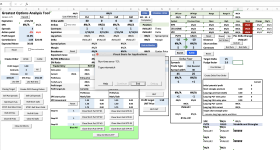
GOAT spreadsheet on a Mac?

tom

Well-known member
Administrator
The GOAT is the thinkorswim Excel spreadsheet I built. It's on the spreadsheets page (Tools > Trading Spreadsheets)

I had a question about using the GOAT spreadsheet on a Mac.

If you are using the GOAT on a Mac:
  • What version of the GOAT are you using?
  • What version of Microsoft Excel are you using?
  • Have you found any problems?
 
I have tried using your latest GOAT version, but so far have not been able to get the data from ThinkorSwim on my Excel (2021) for Mac (2017). It also gives me a Run-time error '13' when I open GOAT.

Screenshot 2024-02-15 at 1.09.11 PM.png
 
Sorry Tom, I did not answer your questions.
My last answer was in error.
Excel can be run natively on the Mac, however, I needed to use the VM in order to get data from TOS.

1. I am using the current version of GOAT 1.79. The previous version worked as well.
2. I am using the current desktop version of Excel. Version 2408 (Build 17928.20114 Click-to-Run)
3. I am running Parallels and a Win 11 VM (ARM version)
4. Within the VM, I am running Excel, TOS (paper mode) and ONE. I have had no problems using excel. I did, however, have some challenges getting ONE to work. I have documented this in a previous entry.
5. I run TOS (live mode) natively within Mac.

Hope was helpful
JLW
 
Top
Contact Us