

This file is a custom setting that I use for Rithmic. You can import this and setup Rithmic R Trader Pro's Trader Dashboard to look a bit nicer and easier to read.
RithmicRTraderPro Settings File
After you download the file, open Rithmic R Trader Pro and select:
File > Retrieve Settings > From File
Select the file you just downloaded and you're all set!
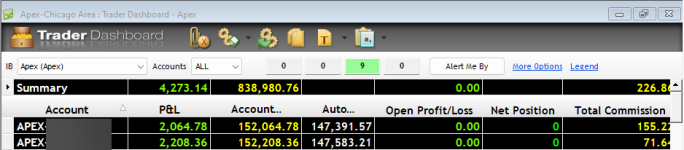
This is what it looks after you input these settings:
RithmicRTraderPro Settings File
After you download the file, open Rithmic R Trader Pro and select:
File > Retrieve Settings > From File
Select the file you just downloaded and you're all set!
This is what it looks after you input these settings:
Last edited:

